Networking Path Series
Networking Path Series — Ping(ICMP Protocol), Routers, Switches, Firewalls.
Welcome to the second lesson!
Learning Objectives:
-Ping (Network connectivity Util)
-Network hardware basics
Ping: It’s one of the most essential network tools. Ping uses a protocol called ICMP (a protocol is a set of logical rules), and ICMP stands for Internet Control Message Protocol, which sends packets to verify the performance of the connection between network devices.
You can ping anything simply by typing:
Example: ping 127.0.0.1
Example: ping google.com
You can ping in two ways: the IP or the DNS
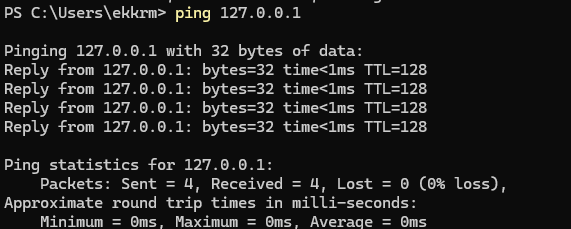
But don’t worry about the details in the image above; we will explain everything in the upcoming lessons.
Networking devices:
Now let’s dive into networking devices that you might encounter in your work, not the normal PC/laptop, but network hardware
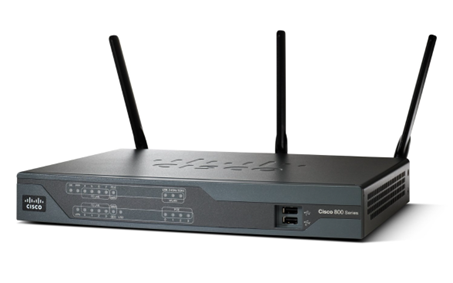
Routers:
You might know them as Wi-Fis, they are used to connected different networks, we use them to connect LANs (Local Area Network) LAN is a computer network in a small specific area, your home network is an example of a LAN.
Switches:
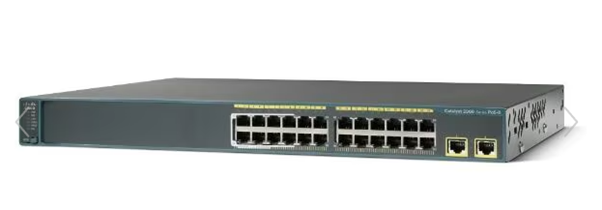
Switches are often used when we have so many devices in the same LAN, switches are characterized with having so many interfaces. Switches don’t provide connectivity between LANs like routers, but it provides connectivity within the same LAN.
Firewalls:
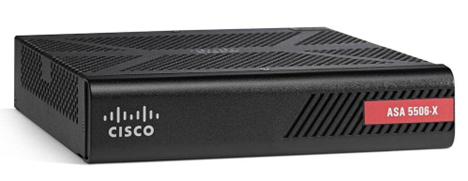
Firewalls are mainly hardware but can also be software mainly dedicated to filter network traffic and ensure the network’s safety from malicious both outbound and inbound traffic, we configure them via what we call firewalls rules which are logical rules that allowed/prohibited network traffic to come in/out of the network, when a firewall include some advanced filtering capabilities it’s called a “Next-Generation firewalls”, an example of hardware firewalls can be the Cisco 3100, or a software firewall can be something like snort.